
Mapped drives are drives that are only available through the network, the operating system will interpret and use them just like if they were local on the computer. The purpose of a mapped drive is to have permanent and quick access to a storage drive on another computer, where applications will be able to read and write files to it as needed.
In order to map a drive, sometimes also called “mounting” a drive, just follow these simple steps:
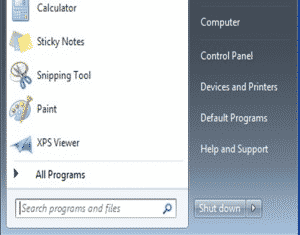
Step 1: Click on Start > Computer
Step 2: Once Computer opens, click on Map Network Drive:


Step 4: Click Finish, if password protected, prompt to enter credentials will come up, and network drive will be available as a local drive in my computer under assigned letter.

0 Comments